

Latest Sun NXT Subscription Plans (2026)
Sun NXT has revised its subscription plans, offering multiple options for different viewing preferences. Subscribers can choose between Lite, Saver, and Premium plans, depending on the devices they use and the streaming quality they need.
Sun NXT Subscription Plans (2026)
| Plan | Price | Validity |
|---|---|---|
| Lite | ₹299 | 3 Months |
| Saver | ₹599 | 1 Year |
| Premium | ₹899 | 1 Year |
Plan Comparison
| Feature | Lite | Saver | Premium |
|---|---|---|---|
| Devices | Mobile, TV, Laptop | Mobile | Mobile, TV, Laptop |
| Video Quality | Full HD (1080p) | HD (720p) | 4K + Dolby Vision |
| Audio | Dolby 5.1 | Stereo 2.0 | Dolby Atmos |
| Logins | 2 | 1 | 4 |
| Devices Allowed | 1 | 1 | 4 |
| Live TV | ✓ | ✓ | ✓ |
| Downloads | ✗ | ✗ | ✓ |
| Ad-Free | ✗ | ✗ | ✓ |
Or, even better for mobile, use cards instead of tables:
Lite Plan – ₹299
- Validity: 3 Months
- Devices: Mobile, TV & Laptop
- Video Quality: Full HD (1080p)
- Audio: Dolby 5.1
- Logins: 2
- Devices: 1
- ✅ Live TV
- ❌ Downloads
- ❌ Ad-Free
Saver Plan – ₹599
- Validity: 1 Year
- Devices: Mobile
- Video Quality: HD (720p)
- Audio: Stereo 2.0
- Logins: 1
- Devices: 1
- ✅ Live TV
- ❌ Downloads
- ❌ Ad-Free
Premium Plan – ₹899 ⭐
- Validity: 1 Year
- Devices: Mobile, TV & Laptop
- Video Quality: 4K + Dolby Vision
- Audio: Dolby Atmos
- Logins: 4
- Devices: 4
- ✅ Live TV
- ✅ Downloads
- ✅ Ad-Free
How to Subscribe to Sun NXT
Follow these simple steps to subscribe to Sun NXT:
Step 1 – Download the App
Download Sun NXT from:
- Google Play Store
- Apple App Store
You can also visit the official website using any modern web browser.
Step 2 – Create Your Account
Register using:
- Mobile Number
- Email Address
Create a secure password and verify your account if required.
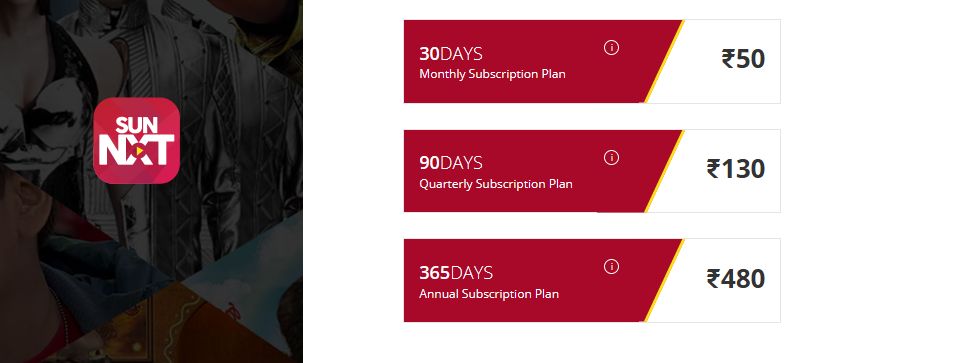
Step 3 – Choose a Subscription Plan
Select the plan that best suits your needs.
Current options include:
- Lite
- Saver
- Premium
Each plan offers different streaming quality, supported devices, simultaneous logins, and additional features.
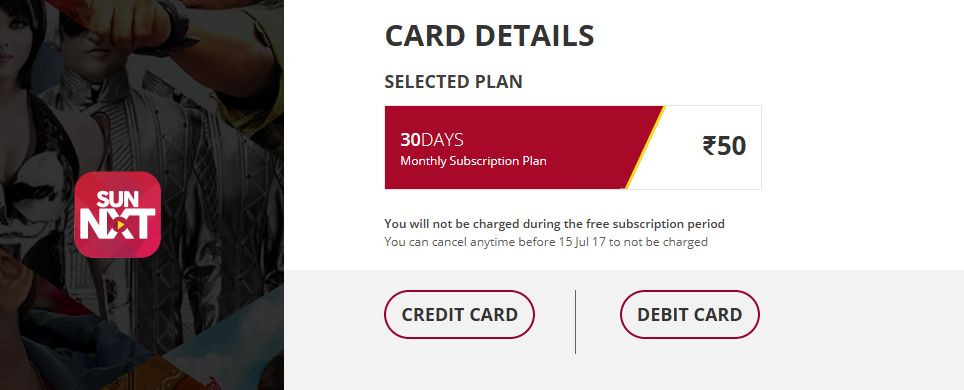
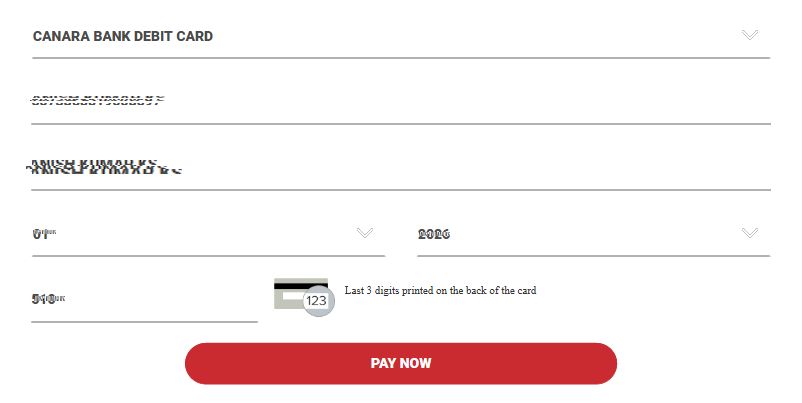
Step 4 – Select Payment Method
Choose your preferred payment option:
- UPI
- Credit Card
- Debit Card
- ATM Card
- Net Banking
Complete the payment using your preferred method.
Step 5 – Confirm Your Subscription
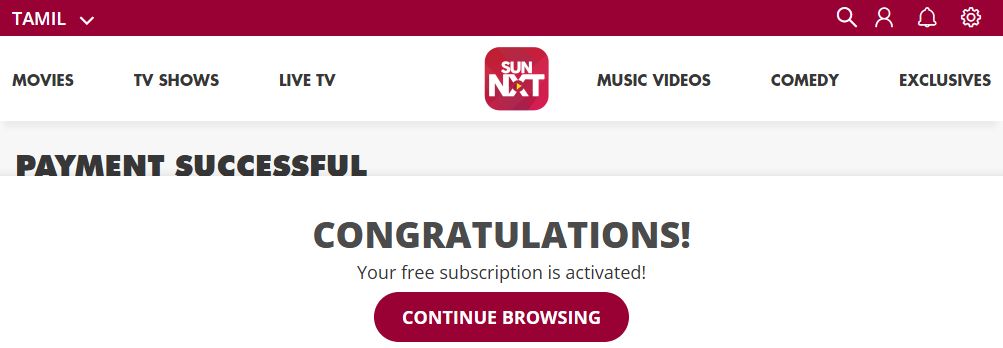
Once payment is successful, Sun NXT activates your subscription immediately.
You’ll receive a confirmation message and can start watching your favorite content instantly
After successful payment you will get the confirmation message like below.
What Can You Watch on Sun NXT?
Sun NXT offers thousands of hours of entertainment, including:
- Live TV Channels
- Daily Serials
- Movies
- Comedy Shows
- Reality Shows
- Devotional Programs
- Kids Content
- Music Channels
Popular channels available include:
- Sun TV
- Sun Gemini
- Surya TV
- Udaya TV
- K TV
- Sun Music
- Gemini Movies
- Gemini Comedy
- Gemini Life
- Chintu TV
- Adithya TV
- Surya Movies
- Udaya Movies
- Udaya Comedy
- Sun News
- Udaya News
Frequently Asked Questions
Is Sun NXT free?
The app is free to download, but streaming premium content requires an active subscription.
Which is the best Sun NXT plan?
The Premium Plan offers the most features, including:
- 4K + Dolby Vision
- Dolby Atmos
- Four simultaneous logins
- Four devices
- Downloads
- Ad-free streaming
Does Sun NXT support Live TV?
Yes. All current subscription plans include access to Live TV channels.
Which payment methods are accepted?
Sun NXT accepts:
- UPI
- Credit Cards
- Debit / ATM Cards
- Net Banking
Can I watch Sun NXT on Smart TV?
Yes. Sun NXT is available on supported Smart TVs, Android TV, Fire TV, web browsers, Android, and iOS devices.







in tv not opening
My tv not com
I Reyally happy
It shows enter correct card number…
What to do? But I have enter correct number only.